Best AI Tools for Small Business in 2026: 10 Picks by Job (No Tech Skills Required)

💡 > Key takeaways
- The best AI tools for small business in 2026 are Runable for content and marketing, ChatGPT for everyday tasks, Canva for design, Grammarly for writing polish, QuickBooks for accounting, Tidio for customer chat, Calendly for scheduling, Mailchimp for email, Zapier for automation, and Otter.ai for meetings.
- Pick tools by job, not by hype. One tool per problem beats a pile of subscriptions you barely open.
- Surveys put small business AI adoption above 60%, and none of the ten tools here require any coding to get value on day one.
- Free tiers from Runable, ChatGPT, Canva, Grammarly, and Otter.ai cover enough ground to run a legitimate operation before you pay for anything.
- The fastest route to ROI is starting with your single biggest time sink, mastering one tool, then expanding.
The best AI tools for small business at a glance
Every tool on this list earned its spot by owning one specific job a small business owner does every week. The table below maps each tool to its job so you can jump straight to the ones you need.
| Tool | The job it does | Free tier | Paid from (as of July 2026) |
|---|---|---|---|
| Runable | Content and marketing creation | Yes | $20/mo |
| ChatGPT | Everyday writing, research, admin | Yes | $20/mo |
| Canva | Design and visual branding | Yes | $15/mo |
| Grammarly | Professional writing polish | Yes | $12/mo (annual) |
| QuickBooks + Intuit Assist | Accounting and bookkeeping | No (30-day trial) | $38/mo (reported) |
| Tidio | Customer chat and support | Yes | $29/mo (reported) |
| Calendly | Appointment scheduling | Yes | $12/seat/mo (reported) |
| Mailchimp | Email marketing | Yes | $13/mo |
| Zapier | Workflow automation | Yes | $19.99/mo |
| Otter.ai | Meeting notes and transcription | Yes | $8.33/mo (annual) |
Prices marked "reported" come from vendor pages and pricing trackers we could not confirm directly on the vendor's live checkout in July 2026. Everything else was verified against the vendor's own pricing page this month.
1. Runable: best for content and marketing creation
Runable is the best AI tool for small businesses on the content and marketing side of the house, because it replaces separate subscriptions for presentations, documents, websites, videos, images, podcasts, and social carousels with one platform. Instead of learning five interfaces, you learn one.
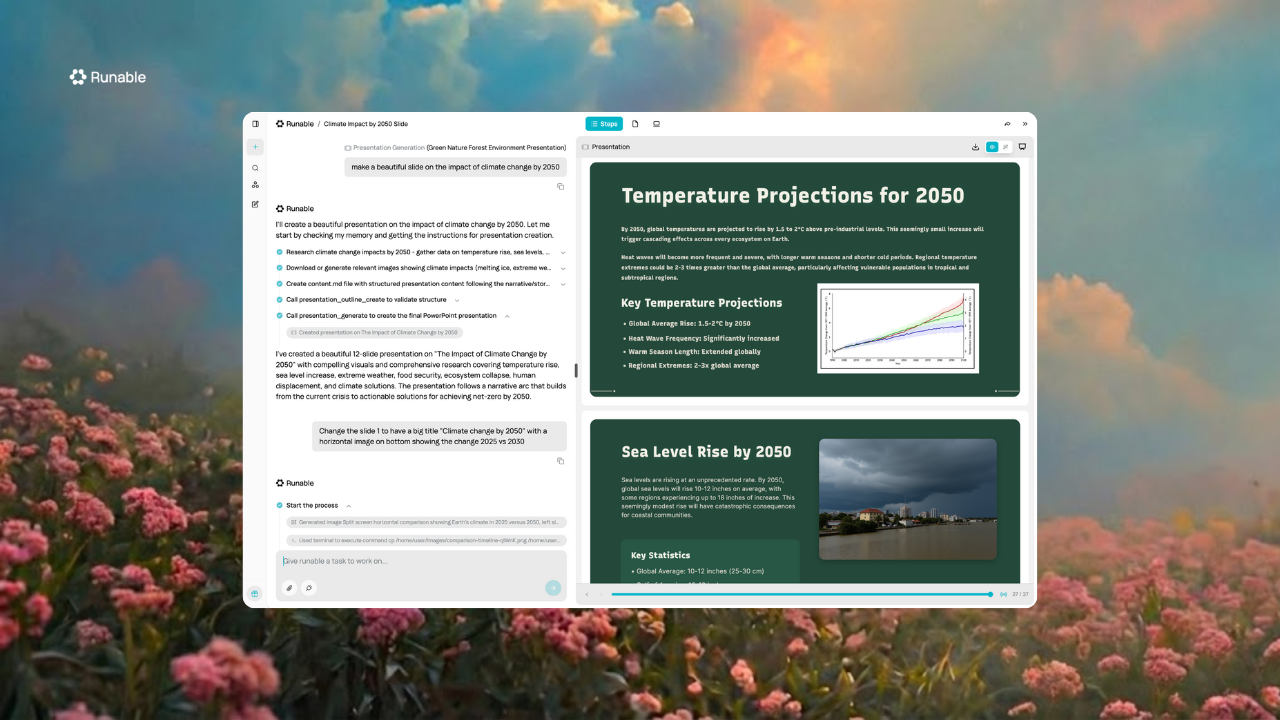
Most tools in this guide do one thing well. Runable's bet is that a small business owner making a pitch deck on Monday, updating the website on Wednesday, and posting to Instagram on Friday should not need a different product for each. That covers the full spectrum of content creation most small teams actually need.
Key features
- Presentations: AI-generated slides with multiple customizable layouts
- Documents: PDFs, resumes, invoices, reports, and financial documents across 40+ categories
- Websites: full site generation with custom domains, SSL, and Stripe integration for payments
- Videos: multiple AI model options including Kling, Veo, Seedance, MiniMax Hailuo, and Wan
- Images: model selection including GPT-Image, Nano Banana Pro, FLUX, and Seedream
- Podcasts and carousels: AI podcast creation with transcripts, plus LinkedIn and Instagram carousels
- Three modes: Chat for quick tasks, Agent for hands-off multi-step projects, and Canvas for team collaboration
The built-in Edit mode lets you make small tweaks without burning credits on a full regeneration. Over a month of regular use, that adds up to noticeably better ROI.
Pricing
Pricing (as of July 2026, verified): Free tier; Pro $20/mo (most popular), Max $100/mo. Full details on the pricing page.
Honest cons
- Credit-based pricing takes a little adjustment if you are used to flat-rate plans
- It is a content and marketing platform, not a bookkeeper or CRM, so it will not replace QuickBooks or Calendly on this list
- Newer than incumbents like Canva, so the template library and community are smaller
Who should use it
Small business owners who regularly create three or more content types and want one platform instead of a stack of subscriptions. If you only ever need social graphics, a specialist design tool may be all you need.
2. ChatGPT: best for everyday business tasks
ChatGPT is the best general-purpose AI assistant for small business owners, handling customer emails, product naming, job descriptions, research, and planning through one chat interface. If you are not sure where to start with AI, start here.
It has become the Swiss Army knife of small business AI. It will not design your brand or file your taxes, but for the dozens of small thinking-and-writing tasks that fill a founder's day, nothing is faster. For a deeper look at where a chat assistant stops and a content platform begins, see our Runable vs ChatGPT comparison.
Key features
- Conversational interface, just ask questions naturally
- Custom GPTs for repeatable business workflows (paid plans)
- Web browsing for current information
- File upload and analysis
- Mobile app for on-the-go use
Pricing
As of July 2026 (verified): free tier with limits; Plus at $20/mo; Business at $25/user/mo on monthly billing ($20/user/mo annual, 2-seat minimum).
Who should use it
Business owners who need a reliable assistant for varied daily tasks: writing, research, planning, and problem-solving. Pair it with a specialist tool once you know which job eats most of your week.
3. Canva: best for design and visual branding
Canva is the best AI design tool for small businesses that need professional-looking graphics without a designer on payroll. Magic Design turns a text prompt into layouts, and the Brand Kit keeps every asset on-brand.
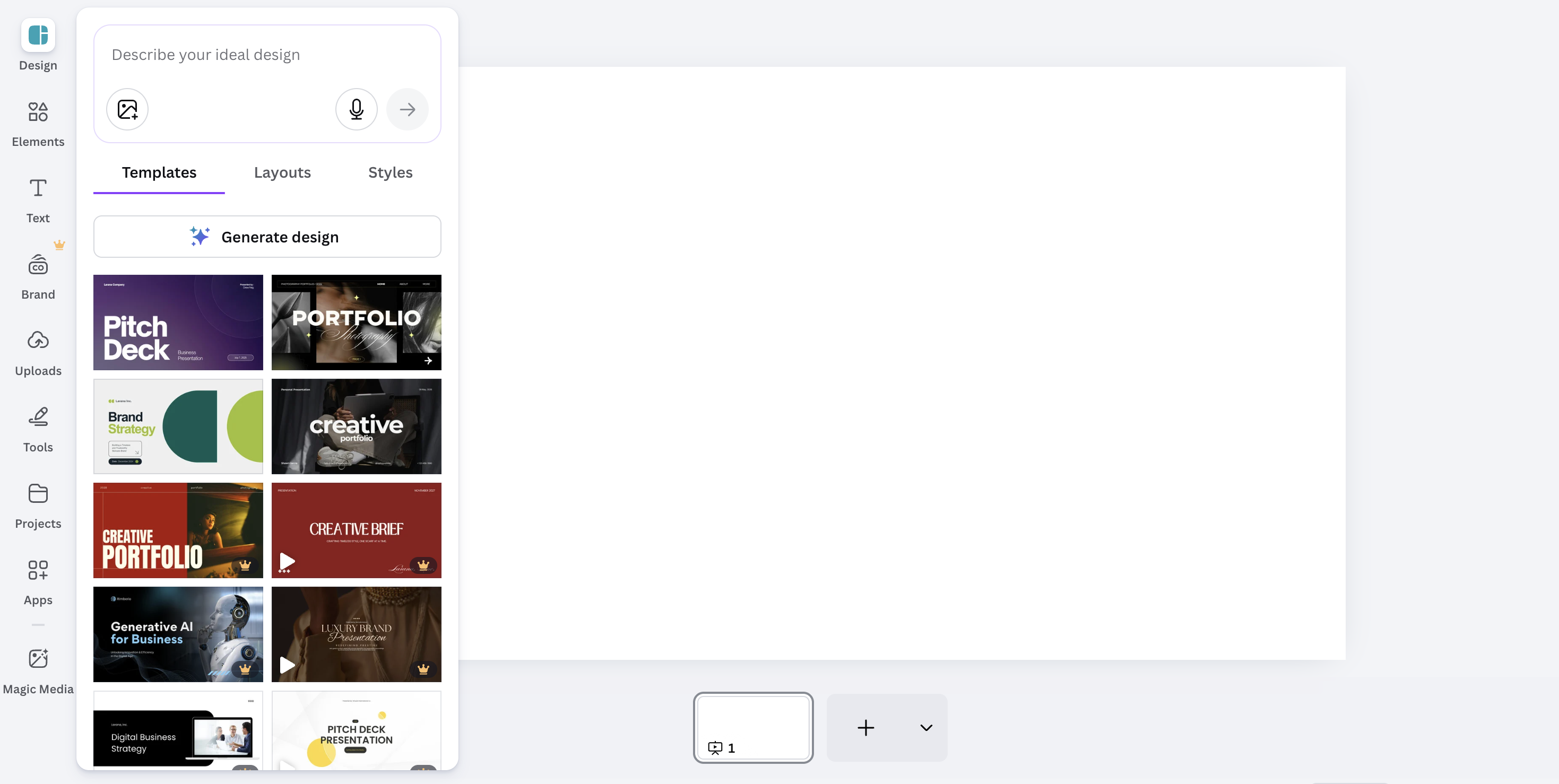
Canva has evolved from a simple design tool into a full AI creative platform. If you are choosing between it and an all-in-one content platform, our Runable vs Canva breakdown covers where each one wins.
Key features
- Magic Design generates layouts from text prompts
- Brand Kit stores logos, colors, and fonts for consistency
- Magic Write for AI copywriting inside designs
- Background Remover and Magic Eraser for quick edits
- Massive template library plus AI-assisted video editing
Pricing
As of July 2026 (reported): free tier; Pro at $15/mo (or $120/yr); the legacy Teams plan is closed to new signups, replaced by Canva Business at $25/user/mo (about $250/user/yr on annual billing).
Who should use it
Small businesses that regularly produce marketing materials, social content, and presentations. If you post to Instagram twice a week or pitch clients monthly, Canva pays for itself.
4. Grammarly: best for professional writing polish
Grammarly is the best tool for making every email, proposal, and post read as polished and professional, going far beyond spell-check into tone, clarity, and impact. It runs everywhere you already write.
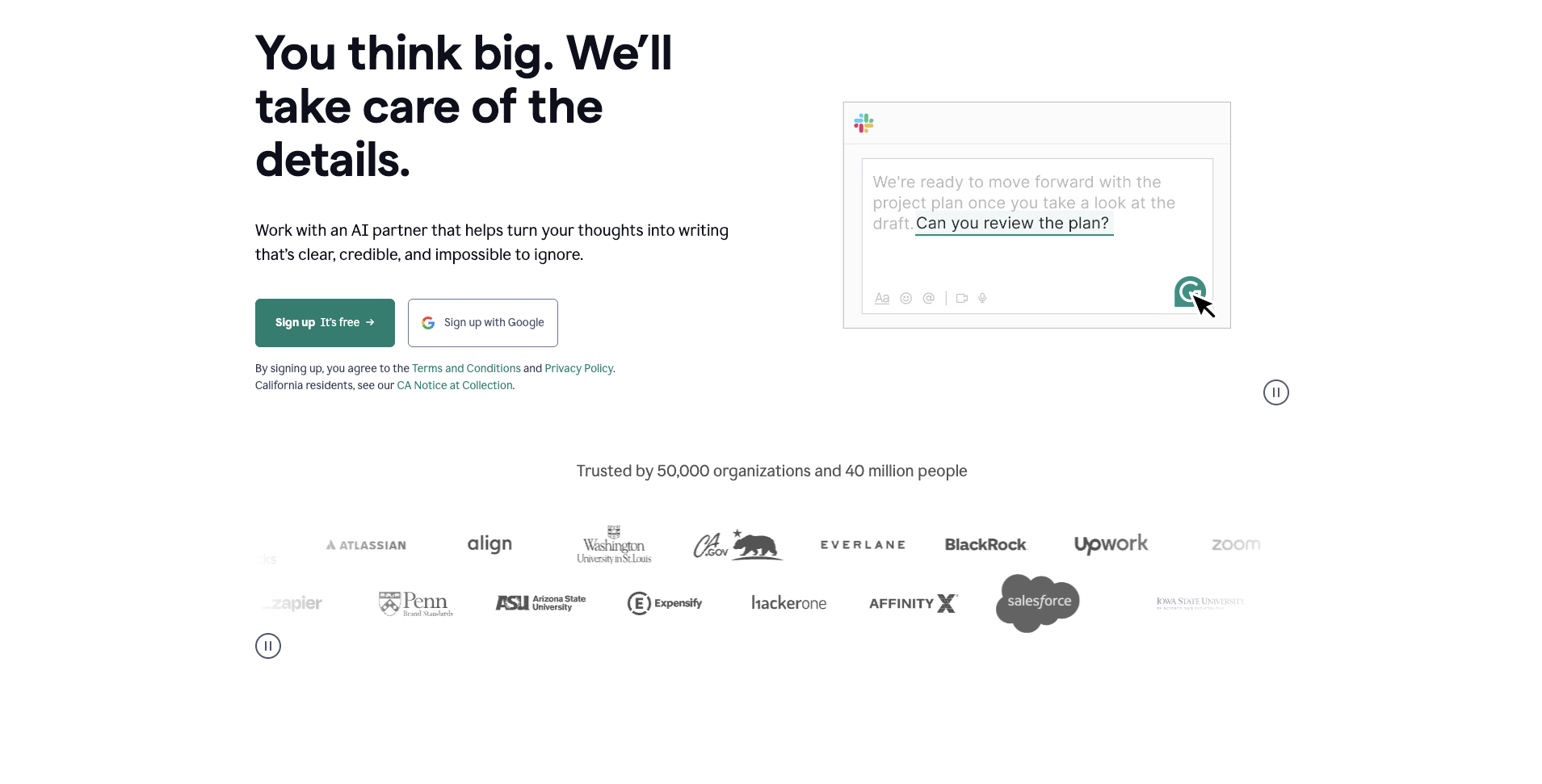
Every message represents your business. Grammarly quietly raises the floor on all of them, which matters most on high-stakes emails to clients and investors, or if English is not your first language.
Key features
- Real-time grammar and spelling corrections
- Tone detection and adjustment
- Clarity and conciseness suggestions
- Generative AI rewriting and drafting on paid plans
- Works across browsers, desktop apps, and mobile
Pricing
As of July 2026 (verified): free tier for basic grammar; Pro at $12/mo billed annually ($30 month-to-month); Enterprise is custom.
Who should use it
Owners who write frequently and want every communication to sound professional. If you barely write beyond quick texts, skip it until writing becomes a real part of your week.
5. QuickBooks with Intuit Assist: best for accounting
QuickBooks with Intuit Assist is the best AI accounting tool for small businesses, letting you ask questions about your finances in plain English while AI handles categorization and bookkeeping chores. It is the difference between dreading April and shrugging at it.
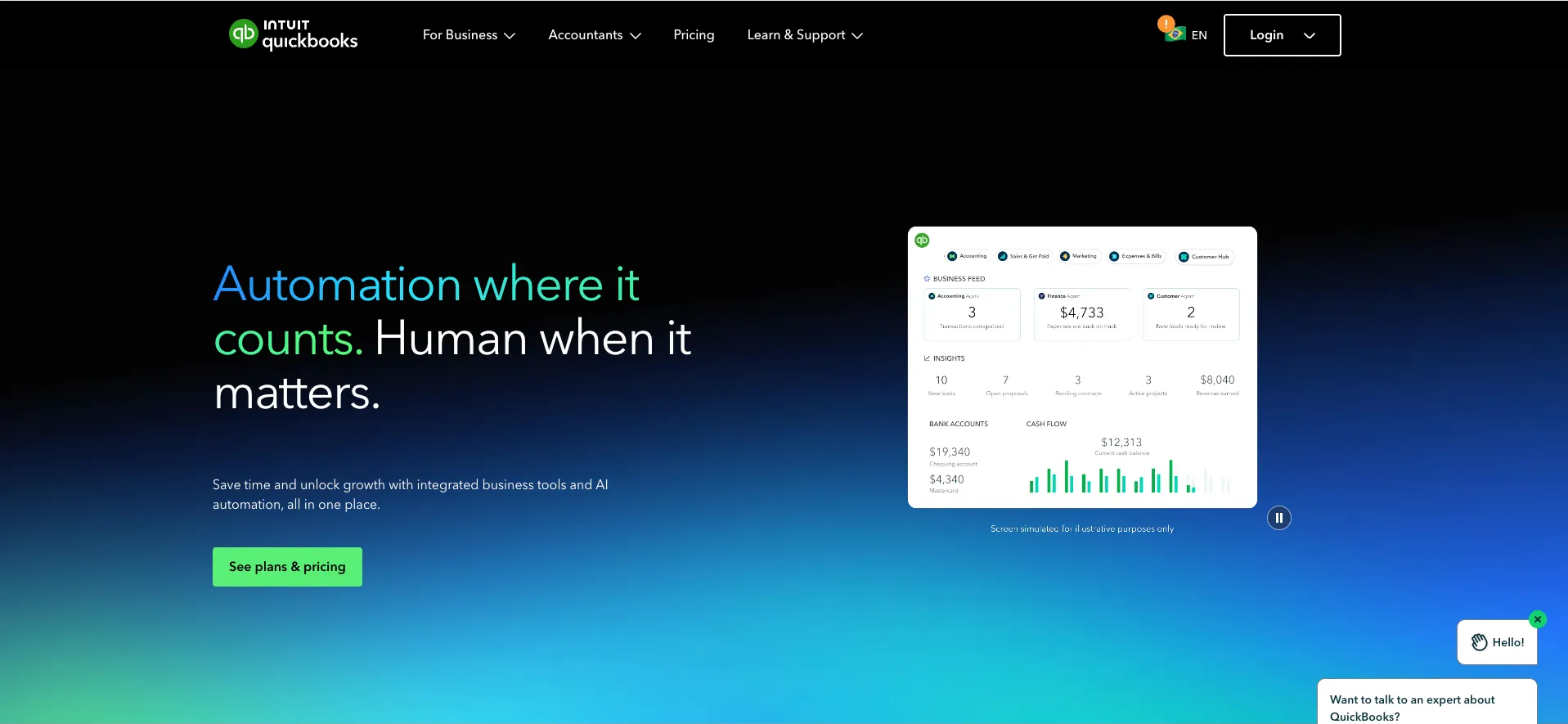
Intuit has pushed AI deep into the product, with specialized agents for accounting, payroll, and sales tax. If you are still running your books in spreadsheets, this is probably the highest-ROI upgrade on this list.
Key features
- Intuit Assist answers financial questions conversationally
- Automatic expense categorization
- Invoice creation and payment tracking
- Cash flow forecasting and tax deduction tracking
Pricing
As of July 2026 (reported): no free tier; Simple Start around $38/mo, Essentials around $75/mo, Plus around $115/mo, with a 30-day trial or intro discounts for new customers. Intuit has announced price increases taking effect in August 2026, so check the live page before committing.
Who should use it
Any small business that invoices customers, tracks expenses, and files taxes. That is most of them.
6. Tidio: best for customer chat and support
Tidio is the best AI customer chat tool for small businesses, putting a live-chat widget on your site with an AI assistant (Lyro) that answers common questions automatically. It means customers get answers at 11pm without you being awake.
Small teams lose sales to unanswered questions more than to bad products. A chat widget that handles "do you ship to Canada?" on its own is one of the cheapest conversion upgrades available.
Key features
- Live chat widget with mobile apps for replying anywhere
- Lyro AI chatbot answers FAQs from your own content
- Order status and product recommendations for ecommerce
- Integrations with Shopify, WordPress, and email platforms
Pricing
As of July 2026 (reported): free plan with 50 conversations/mo; Starter at $29/mo; Growth from $59/mo. The Lyro AI chatbot is a separate add-on from $39/mo, so budget for both if AI answers are the point.
Who should use it
Businesses whose customers hit the website with questions before buying: ecommerce shops, local services, restaurants. If your customers never visit your site, spend elsewhere first.
7. Calendly: best for appointment scheduling
Calendly is the best scheduling tool for small businesses, killing the "what time works for you?" email chain by letting clients book directly into your open slots. Reminders and rescheduling are handled automatically.
Scheduling is a silent time tax. Every consult, demo, or client call booked by email costs three to five messages, and Calendly reduces that to one link.
Key features
- Booking pages synced to your real calendar availability
- Automatic reminders that cut no-shows
- Payment collection at booking via Stripe or PayPal
- Round-robin and team scheduling on higher tiers
Pricing
As of July 2026 (reported): solid free plan for one event type; Standard around $12/seat/mo; Teams around $20/seat/mo, billed annually; monthly billing costs more.
Who should use it
Anyone who books meetings with people outside the company: consultants, agencies, salons, advisors. If your week has more than two externally booked calls, the free plan alone is worth setting up today.
8. Mailchimp: best for email marketing
Mailchimp is the best email marketing tool for most small businesses, with AI-assisted writing, automations, and audience segmentation in a platform your future hires will already know. Email remains the highest-ROI owned channel a small business has.
Its generative AI features draft campaigns and subject lines, and prebuilt automations handle welcome series and abandoned carts. You set them up once and they sell while you sleep.
Key features
- AI-generated campaign copy and subject line suggestions
- Prebuilt automations: welcome, win-back, abandoned cart
- Audience segmentation and send-time optimization
- Landing pages and signup forms included
Pricing
As of July 2026 (verified): limited free tier; Essentials from $13/mo and Standard from $20/mo at 500 contacts. Prices scale with list size, so a 5,000-contact list runs roughly $75 to $100/mo.
Who should use it
Businesses building a customer list they can reach without paying for ads each time. If you have no list yet, start collecting emails now and add Mailchimp when you pass a few hundred contacts.
9. Zapier: best for workflow automation
Zapier is the best automation tool for small businesses, connecting over 8,000 apps so that repetitive copy-paste routines run themselves. New lead in your form? It lands in your CRM with a welcome email sent, automatically.
Its AI builder lets you describe the workflow in plain English and get a working automation back. No developer required.
Key features
- 8,000+ app integrations
- AI-powered workflow builder from plain-English descriptions
- Multi-step automations with conditional logic
- Scheduled runs and simple built-in databases (Tables)
Pricing
As of July 2026 (verified): free tier with 100 tasks/mo; Professional from $19.99/mo; Team from $69/mo, with about 33% savings on annual billing.
Who should use it
Owners drowning in repetitive tasks who want to automate without hiring a developer. If you do the same copy-paste routine every day, Zapier can probably handle it.
10. Otter.ai: best for meeting notes
Otter.ai is the best meeting tool for small businesses, recording, transcribing, and summarizing calls automatically so action items stop falling through the cracks. If you sit in five or more meetings a week, it gives you hours back.
OtterPilot joins your Zoom, Google Meet, or Teams calls on its own and produces a searchable transcript with speaker labels. The summary and action items arrive before you are back at your desk.
Key features
- Real-time transcription with speaker identification
- Automatic summaries and action items
- Zoom, Google Meet, and Teams integration
- Searchable archive of every past meeting
Pricing
As of July 2026 (verified): free tier with 300 min/mo; Pro at $8.33/mo billed annually ($16.99 monthly); Business at $19.99/user/mo annually ($30 monthly).
Who should use it
Anyone whose calendar is meeting-heavy and who needs accurate records without taking notes live.
How to choose the right AI tools for your small business
Choose by starting with your single biggest time sink, adopting one tool for that job, and only expanding once it has stuck. Stacking five new tools in one week guarantees you will use none of them well.
Start with the pain, not the tool
If writing eats your hours, start with ChatGPT or Grammarly. If meetings dominate, Otter.ai pays off in week one. If you create content across formats every week, that is where a consolidation play like Runable makes sense.
Tools vs agents
Everything in this guide is a point tool: software that helps you do a task. There is a newer category, AI agents, that takes a goal and runs the multi-step work autonomously, and we break down the difference in AI tools vs AI agents. Understand the distinction before paying for either.
Budget reality check
Free tiers from Runable, ChatGPT, Canva, Grammarly, and Otter.ai cover substantial ground, so you can run a legitimate operation before spending anything. When you do spend, count your existing subscriptions first. If you pay separately for presentations, documents, graphics, and a website builder, one platform may cost less than the pile.
What are the best alternatives to Jobber in 2026 with AI features?
The best Jobber alternatives with AI features in 2026 are dedicated field service platforms like Housecall Pro and Workiz, or a modular stack built from the tools in this guide: Calendly for booking, QuickBooks with Intuit Assist for invoicing and accounting, and Tidio for AI customer chat. Which route wins depends on whether you want one suite or best-in-class pieces.
Housecall Pro and Workiz both target the same home service businesses Jobber does (plumbers, cleaners, HVAC, landscaping) and both have been adding AI assistants that answer inbound calls, draft customer messages, and help with quoting. ServiceTitan sits at the enterprise end and is usually overkill below ten trucks. If Jobber's price or feature bundle is the problem, compare those three on live demos before switching, since AI feature sets in this category change quarterly.
The stack approach often costs less for solo operators. Calendly's free plan handles client booking, QuickBooks with Intuit Assist covers invoices and expense categorization, Tidio's Lyro answers website questions overnight, and Zapier connects them so a new booking creates an invoice draft automatically. Add Runable for marketing content (Free tier; Pro $20/mo, most popular; Max $100/mo) and you cover most of what Jobber does plus the marketing side it never touched.
Frequently asked questions
What is the best AI tool for a small business?
There is no single best tool, because tools win by job. Runable leads for content and marketing creation, ChatGPT for everyday assistance, QuickBooks for accounting, and Canva for design. Pick the one that matches your biggest weekly time sink.
Which AI tool should I try first?
Start with your most time-consuming repetitive task. Hours on email and writing point to ChatGPT or Grammarly, constant social graphics point to Canva, and meeting overload points to Otter.ai. If you create many content types, try Runable's free tier and see if consolidation fits.
Can I run a small business on free AI tools alone?
Yes, at least at the start. Free tiers from Runable, ChatGPT, Canva, Grammarly, Calendly, and Otter.ai cover writing, design, scheduling, and meetings. You will hit paid walls once volume grows, typically first on email contacts and automation tasks.
Will AI-generated content hurt my brand's authenticity?
Only if you publish first drafts untouched. AI works best as a starting point that kills blank-page syndrome, with you editing for voice and context. The businesses seeing the best results treat AI as a collaborator, not a replacement.
What happens to my data in these tools?
Policies differ by tool and by tier, with business plans generally offering stronger protections. For financial data or client information, read the privacy policy before uploading anything. Most tools on this list let you opt out of having your data used for model training.
Try the top AI tool for small business content free
The fastest way to test whether AI tools fit your small business is to hand one a real task today. Runable's free tier lets you generate a presentation, a document, or a set of social posts in minutes, and the quickstart guide gets you to a first result in under five. If it saves you an afternoon this week, upgrade; if not, you have lost nothing.
META_TITLE: Best AI Tools for Small Business in 2026 (10 Picks)
META_DESCRIPTION: The 10 best AI tools for small business in 2026, picked by job: content, accounting, chat, scheduling, email, design. July 2026 pricing and honest cons.
SLUG: ai-tools-small-business
CATEGORY: Best Tools
TAGS: ai tools, small business, productivity, content creation, comparison

