How to Create Content with AI in 2026: The Playbook I Actually Use

💡 > Key Takeaways
- The fastest way to create content with AI in 2026 is to run everything through one workspace instead of five tools. In my hands-on benchmark, Runable 2.0 turned one idea into a carousel, two image variations, and a short video in about 15 minutes, all inside one AI Canvas.
- Specialist tools still win their lanes : Manus 1.6 Max for pure reasoning, Canva for templates, Adobe Firefly for IP-safe visuals, Runway for cinematic video, Descript for audio editing, and ElevenLabs for voice.
- Iteration cost is the real creator bottleneck in 2026. Tools that let you change one part of an asset without regenerating everything, like Runable's Mark Edit, save the most time.
- Every tool faced the same task : turn one idea, explaining AI agents to non-technical founders, into post-ready content for X and Instagram.
- Runable pricing (as of July 2026) : Free tier; Pro $20/mo, the most popular plan; Max $100/mo.
Why execution beats ideas in 2026
I create and ship content constantly across X, Instagram, video, and the occasional long-form asset. And here is the uncomfortable truth about creating content with AI in 2026: ideas are not the bottleneck anymore. Execution is.
Everyone has access to powerful AI now. The models are good. The demos are impressive. What actually separates creators is how fast they can turn one idea into something post-worthy, then do it again tomorrow.
So instead of writing another generic listicle, I did something more useful. I took the seven AI content tools I actually use, gave every one of them the same real task, and measured what truly matters to a working creator. This post is the result: part benchmark, part step-by-step playbook you can copy today.
The idea I benchmarked everything on

To keep things fair, I used the same task everywhere:
Explain how AI agents work to non-technical founders, optimized for X and Instagram.
The output had to work as a visual, a carousel, optionally a short video, and it had to be something I would genuinely post under my own name. Anything that looked "AI generated" failed automatically.
That last rule matters. Your audience can smell one-shot AI output from a mile away. The whole point of this playbook is producing content that reads and looks like you, just faster.
How I evaluated the tools
I did not care about model names, parameter counts, or launch-day demos. I scored each tool on five things that decide whether content actually ships:
- Time to first post-worthy output. Not first output. First output I would post.
- Visual quality. Does it look intentional, or does it look generated?
- Iteration pain. How hard is it to make one small change without starting over?
- Format leverage. How many formats can I get from one idea?
- Mental load. How tired my brain felt after using it.
Creators will understand that last one. A tool that produces great output but leaves you drained after every session does not survive in a daily workflow.
Tool 1: Runable 2.0, what I use when I want to ship
I will be upfront: I use Runable almost daily. Not because it is magical. Because it removes friction at every step where other tools add it.
Runable is a general AI agent, so the same workspace that makes my visuals also handles the research, the copy, and the repurposing. That changes the workflow math completely.
AI Canvas is the real reason
This is where Runable wins the benchmark.
Images, videos, and carousels all live on one canvas. I can generate an image, turn it into a carousel, tweak slide 3, regenerate just one part of an image, then export and post. I never leave the workspace, and I never re-explain context to a new tool. That matters more than people think.
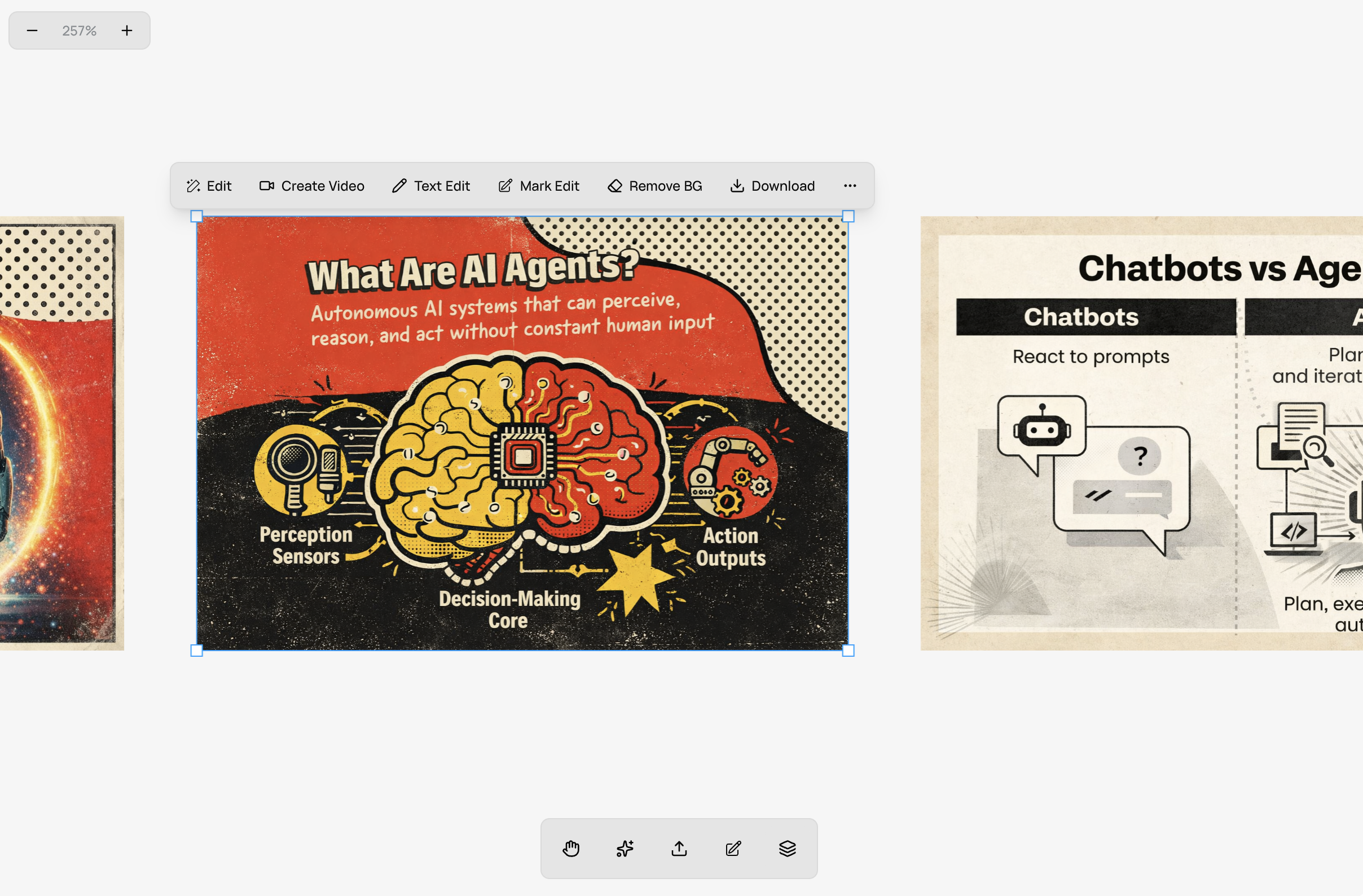
💡 > Real example: Last week I created a post about AI agents. Generated the first image, didn't like the robot illustration. Instead of starting over, I selected just the robot, typed "replace with a friendly robot," and only that part changed. Took 10 seconds. Posted 2 minutes later.
Mark Edit saved me hours
Mark Edit is simple. Select part of an image. Describe the change. Only that part changes.
When I tested the other tools, one small change usually meant regenerating everything, and every regeneration is a fresh roll of the dice. Iteration cost is the silent killer of creator speed. Runable was the only tool in this benchmark where iteration felt genuinely cheap.
AI Carousel felt built for X and Instagram
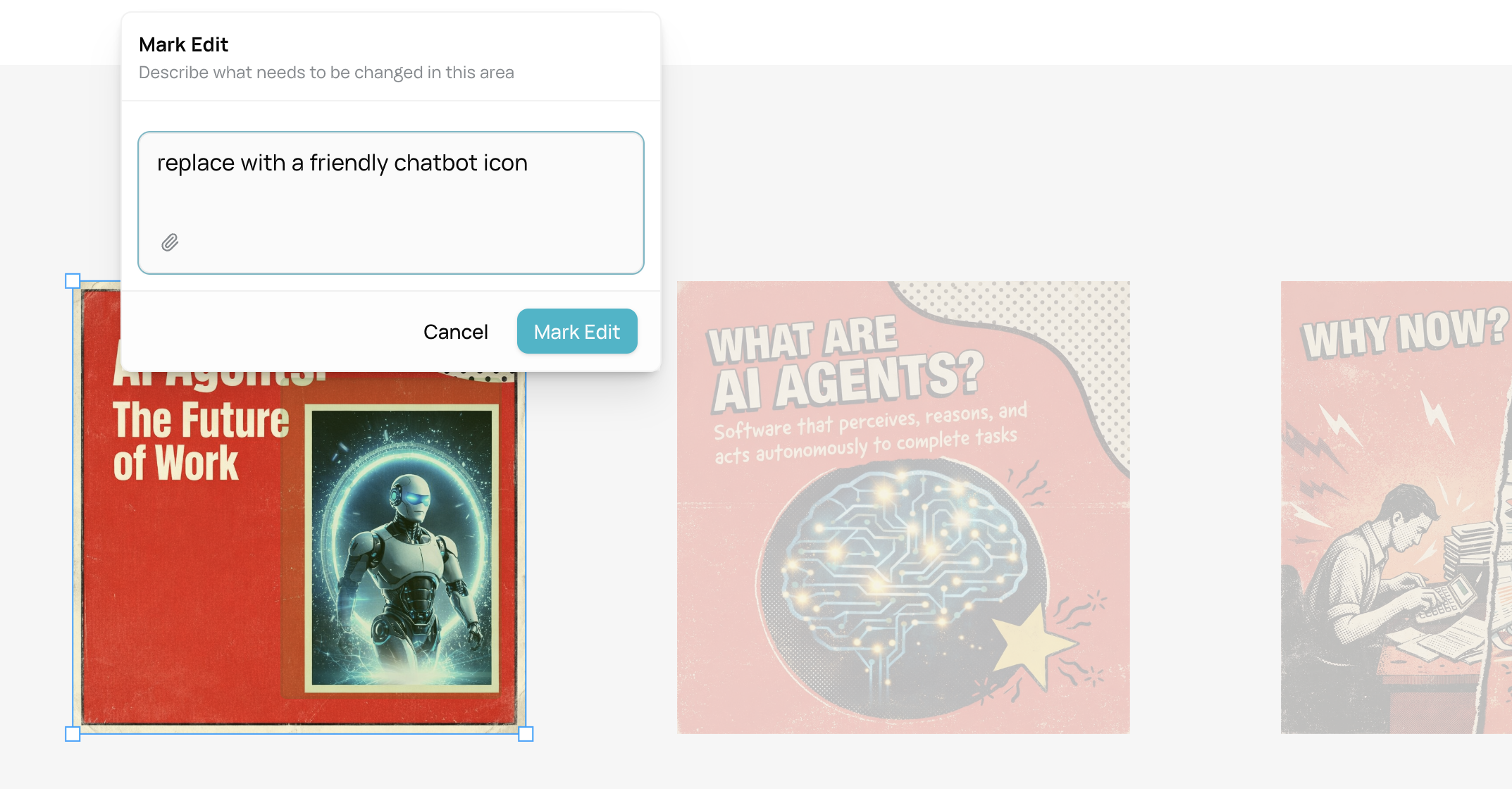
Most carousel tools treat slides as independent images. Runable treats the carousel as one story. It plans the hook, the flow, and the takeaway, then generates consistent slides that actually feel connected.
This alone made my content look more intentional, which is exactly the quality that separates "posted by a person" from "generated by a tool."

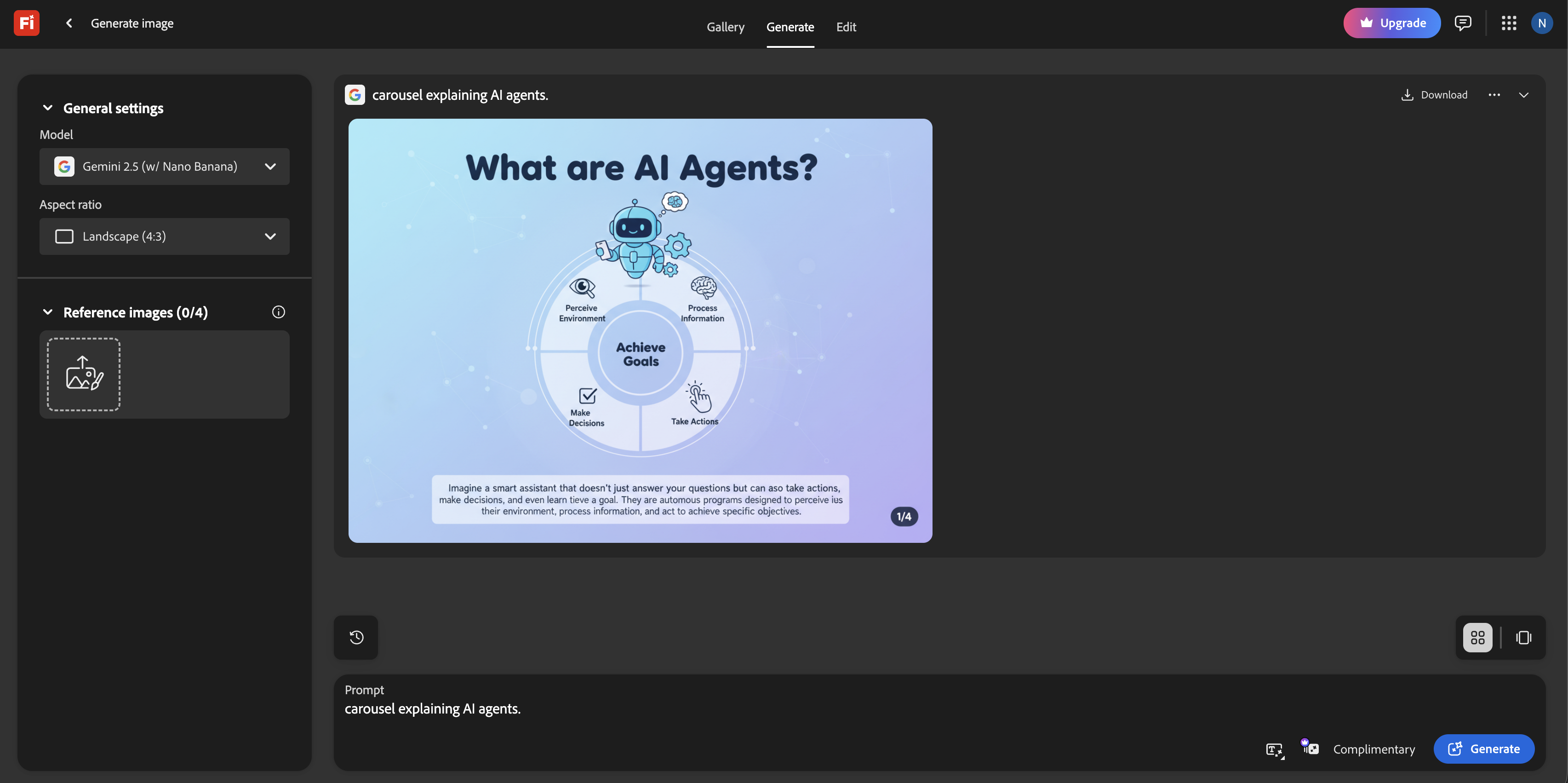
💡 > Real example: I asked for a carousel explaining AI agents. It gave me 5 slides with a consistent color scheme, progressive story arc, and a clear CTA at the end. No template hunting. No manual formatting. Just worked.
Tool 2: Manus 1.6 Max, very strong thinking, weaker execution
Manus deserves respect. Their Workbench benchmarks for 1.6 Max show serious reasoning depth, and it is excellent for long research, complex analysis, and multi-step logic. Manus is genuinely great at thinking.
Where it fell short for me: visual polish, fast iteration, and creator-ready outputs. The gap between "smart analysis" and "post I can ship" stayed wide.
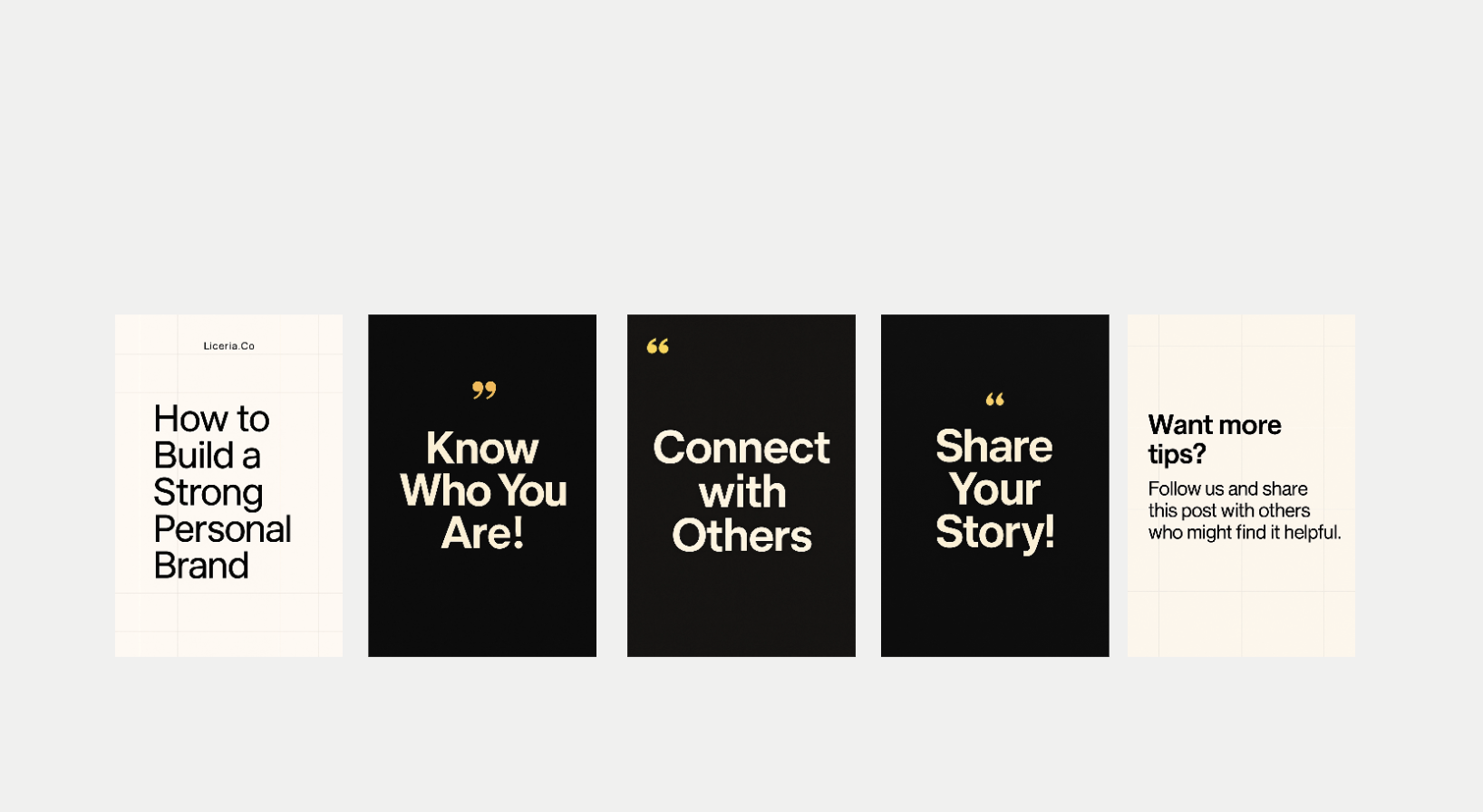
Manus thinks well. Runable finishes better.
If your content is mostly research-heavy text, Manus is a strong choice. If your content is visual and fast-moving, it breaks down.
Tool 3: Canva, still unbeatable for templates
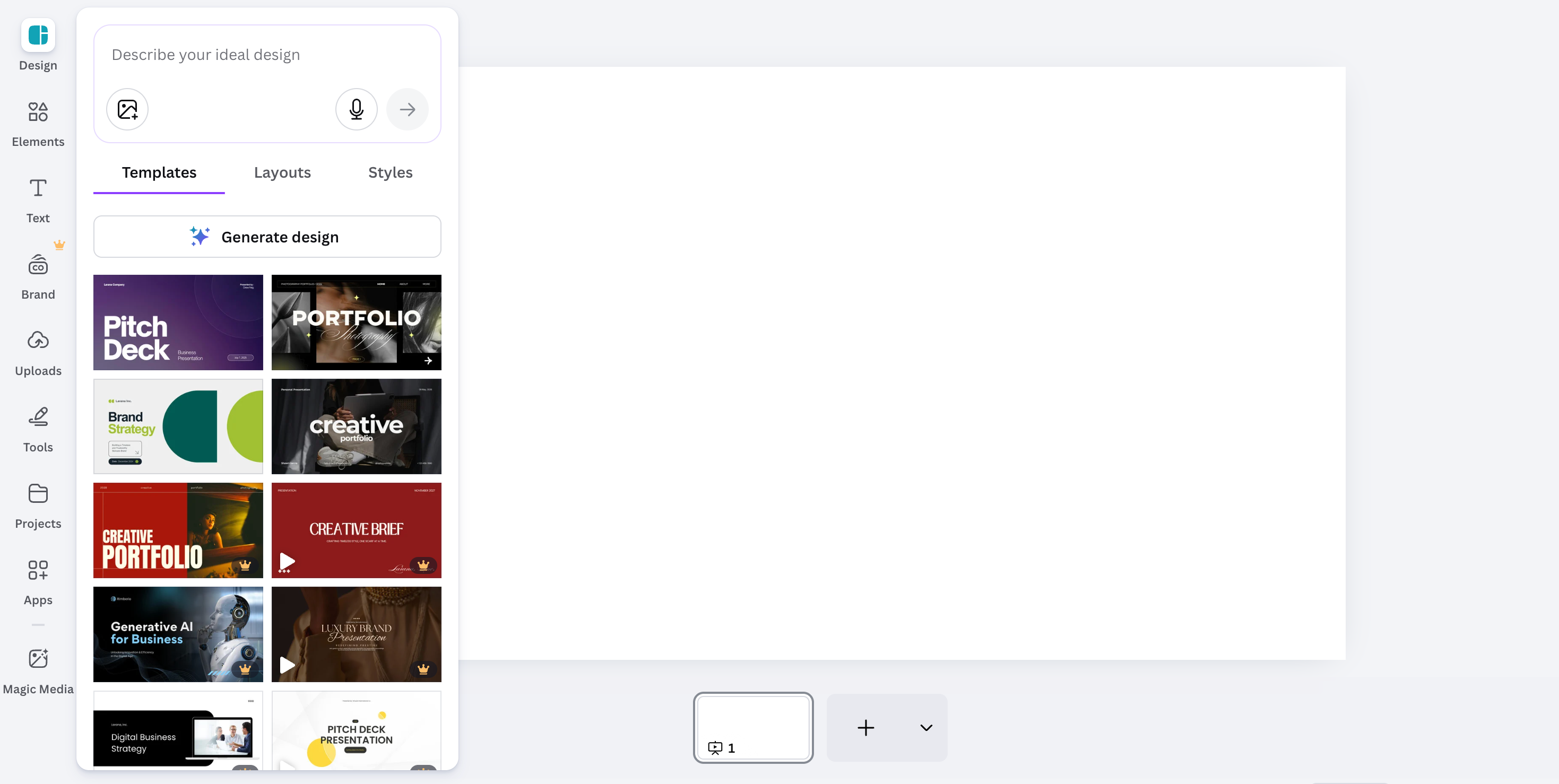
Everyone uses Canva. There is a reason.
Templates, brand kits, predictable output. If you need on-brand designs on a deadline and consistency matters more than originality, Canva still delivers.
The weakness? AI output looks like Canva. The creative range is limited, and turning one idea into many formats still means a lot of manual dragging, duplicating, and resizing. It is a design tool with AI features, not an AI workflow.
Tool 4: Adobe Firefly, professional, slow, and safe
Firefly is great if copyright matters, clients matter, and enterprise procurement matters. The commercially safe training data is a real advantage for agency and brand work.
As a solo creator? Too many settings. Slower feedback loops. Higher mental load. It feels like a professional tool, not a creator tool.
Using it for daily social content felt like using Internet Explorer in the era of browser agents.
Tool 5: Runway, great video, narrow scope
Runway produces impressive video, especially when you want a cinematic, "made for video" look. The tradeoff is that it is video-first: iteration can get expensive, and turning that one clip into carousels, images, and post-ready variants usually becomes manual work in other tools.
If video is your main output, Runway is worth it. But if you are a general creator shipping across formats, it often becomes just another tab.
What changed for me with Runable: I can make the same kind of short-form videos inside the same canvas where I am already creating the images and the carousel. Faster edits, less context switching, and repurposing is built in instead of being a separate workflow.
Tool 6: Descript, text-based editing that actually ships
Descript is what I use when the content starts as me talking.
If the workflow is "record a messy 20 minutes, publish a clean 6 minutes," nothing beats editing the words instead of scrubbing waveforms.
Why it's still in my stack
- Edit video and podcasts like a doc. Cut sentences. The timeline obeys.
- Remove filler words and tighten the take without frame-by-frame surgery.
- Studio Sound is the one-click fix for "this was recorded in a normal room."
- Fix small mistakes without a re-record using Regenerate and Overdub style corrections.
💡 > Real example: I recorded a quick founder-style explainer with bad room echo. Studio Sound cleaned it up enough that I didn't have to redo the take. Then I deleted 30 seconds of rambling by cutting two paragraphs from the transcript. The edit took minutes, not hours.
Where it falls short (for my benchmark)
Descript is excellent for audio-first and talking-head content. But it does not help you turn one idea into images, carousels, and multi-format assets. It is a finisher for recordings, not a canvas for creating the whole content system.
Tool 7: ElevenLabs, the fastest way to get high-quality voice
ElevenLabs is what I reach for when I need voiceovers that do not sound like a robot reading a script. If your content needs narration, multilingual voice, or a consistent voice across dozens of clips, this is the specialist tool.
What it's great at
- High-quality text-to-speech across dozens of languages.
- Voice cloning (instant and pro) when you need consistency across a series.
- Speech-to-speech conversion when you want to keep the performance but change the voice.
💡 > Real example: I wrote a 45-second script for a product teaser. Generated two narration styles (calm + high-energy), tested both on the same clip, then used the winning voice across the rest of the series so everything felt consistent.
The honest limitation
ElevenLabs is not a workflow. You still need an editor to place the audio into a video, time it to cuts, and iterate on the visuals. For me it is perfect when paired with Descript for editing and Runable for visual execution.
The benchmark results
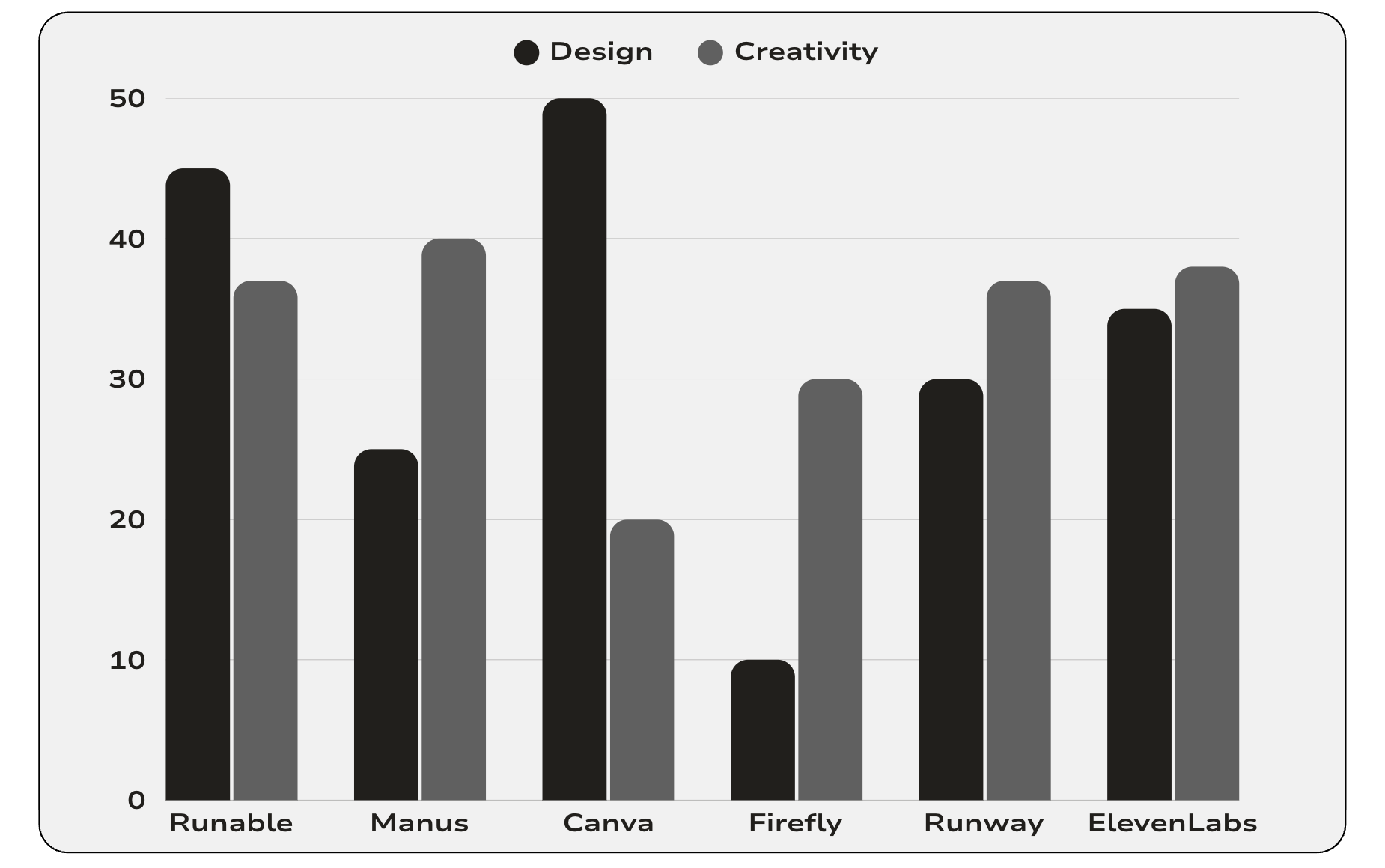
I care about one thing: how fast can I turn one idea into something I will actually post. Here is where each tool landed.
| Category | Winner |
|---|---|
| Fastest execution end-to-end | Runable 2.0 |
| Best pure reasoning | Manus 1.6 Max |
| Best templates | Canva |
| Best IP-safe visuals | Adobe Firefly |
| Best cinematic video | Runway |
| Best audio editing | Descript |
| Best voice generation | ElevenLabs |
Notice the pattern: six of the seven winners are specialists. They are the best at one lane. The end-to-end winner is the tool that connects the lanes, because in real creator life, the time is not lost inside any single tool. It is lost between them.
The playbook: how to create content with AI, step by step
Here is the exact process the benchmark left me with. Steal it as-is.
Step 1: Start with one idea you actually care about. AI amplifies whatever you feed it. A generic prompt produces generic content no tool can save.
Step 2: Draft the core asset in one workspace. Pick the format your audience responds to most (for me, a carousel) and generate it where your other formats can live too. Every tool switch costs you context and momentum.
Step 3: Iterate on parts, never wholes. If slide 3 is weak, fix slide 3. If the robot in your image looks off, select the robot and describe the change. The moment you find yourself regenerating an entire asset to fix one detail, your tool is taxing you.
Step 4: Fan out into formats. One idea should become a carousel for Instagram, a single image plus text for X, and a short video clip. This is where an agent-based canvas beats a stack of point tools: the fan-out is a prompt, not an afternoon.
Step 5: Layer in the specialists where they earn it. Talking-head video goes through Descript. Narration goes through ElevenLabs. Cinematic hero clips go through Runway. Specialists at the edges, one workspace at the center.
Step 6: Post, then measure iteration cost. After a week, ask one question: which tool made me hesitate to fix things? That hesitation is where your quality quietly dies. Cut that tool.
Why Runable fits how I create
On X, speed matters. If I have to switch tools, re-explain context, or redo visuals, I won't post. It is that simple, and I suspect it is true for most creators.
Runable reduced context switching, iteration pain, and decision fatigue. AI Canvas plus AI Carousel plus Mark Edit changed how fast I ship. That is the real benchmark.
💡 > Real example: Yesterday I had an idea at 9 AM. By 9:15 AM, I had a carousel, two image variations, and a short video clip all from one conversation. Posted at 9:20 AM. That's the difference.
My honest advice to creators in 2026
If you post occasionally, use anything. Truly, the tools are all good enough for one post a month.
If you post consistently and care about quality, your bottleneck is execution. Pick tools that collapse steps, keep context, and make iteration cheap. Keep the specialists for the lanes where they are genuinely best.
For me, the center of that system is Runable 2.0.
Want to try this yourself?
Here is the 5-minute test I recommend:
- Take an idea you actually care about.
- Open AI Canvas in Runable.
- Create an image.
- Turn it into a carousel.
- Edit one small detail without starting over.
You'll know in 5 minutes if this fits how you work. And if it does? You'll wonder how you ever shipped content without it.
Related Reading
FAQ
What is the best AI tool for content creation in 2026?
It depends on your output. In this hands-on benchmark, Runable 2.0 was fastest at turning one idea into post-ready images, carousels, and short videos. Manus 1.6 Max led on reasoning, Canva on templates, Adobe Firefly on IP-safe visuals, Runway on cinematic video, Descript on audio editing, and ElevenLabs on voice.
How do I make AI content not look AI generated?
Avoid one-shot generation. Content looks AI generated when you accept the first output. Tools with partial editing, like Runable's Mark Edit, let you regenerate only the weak part of an image instead of the whole asset, so you can iterate until it matches your style without starting over.
Is Canva still worth using in 2026?
Yes, if templates and brand consistency are your priority. Canva remains the easiest way to produce predictable, on-brand designs quickly. Its weakness is creative range: AI output tends to look like Canva, and turning one idea into many formats takes more manual work than agent-based tools like Runable.
What is the difference between Runable and Manus?
Manus 1.6 Max is strongest at deep reasoning, research, and multi-step analysis. Runable 2.0 is stronger at execution: its AI Canvas combines images, carousels, and video in one workspace with cheap iteration. For research-heavy text, pick Manus. For fast, visual, multi-format content, pick Runable.
How much does Runable cost?
Runable pricing as of July 2026: a Free tier for trying the platform, Pro at $20 per month (the most popular plan, with 1,500 daily credits), and Max at $100 per month for heavy use. Yearly billing works out to $240 for Pro and $1,200 for Max.

