How to actually make content in 2026 using AI
TL;DR
I create and ship content constantly across X, Instagram, videos, and occasional long-form assets.
In 2026, ideas aren't the bottleneck but execution is.
Everyone has access to powerful AI now. What separates creators is how fast they can turn one idea into post-worthy content.
So instead of another generic listicle, I tested the tools I actually use on the same real task and measured what truly matters. This post is the result.
The idea I benchmarked everything on
To keep things fair, I used the same task everywhere:
Explain how AI agents work to non technical founders.Optimized for X and Instagram.The output had to work as a visual, a carousel, optionally a short video and something I would genuinely post.
Anything that looked " AI generated " failed.
How I evaluated tools
I did not care about model names or demos.
I scored each tool on five things:
1. Time to first post-worthy output2. Visual quality3. How painful it was to make a small change4. How many formats I could get from one idea5. How tired my brain felt using itCreators will understand that last one.
Tool 1: Runable 2.0
What I use when I want to ship
I'll be upfront: I use Runable almost daily.
Not because it's magical. Because it removes friction.
AI Canvas is the real reason
This is where Runable wins.
Images, videos, and carousels all live on one canvas.
I can generate an image , turn it into a carousel , tweak slide 3 , regenerate just one part of an image, then export and post .
I never leave the workspace. That matters more than people think.
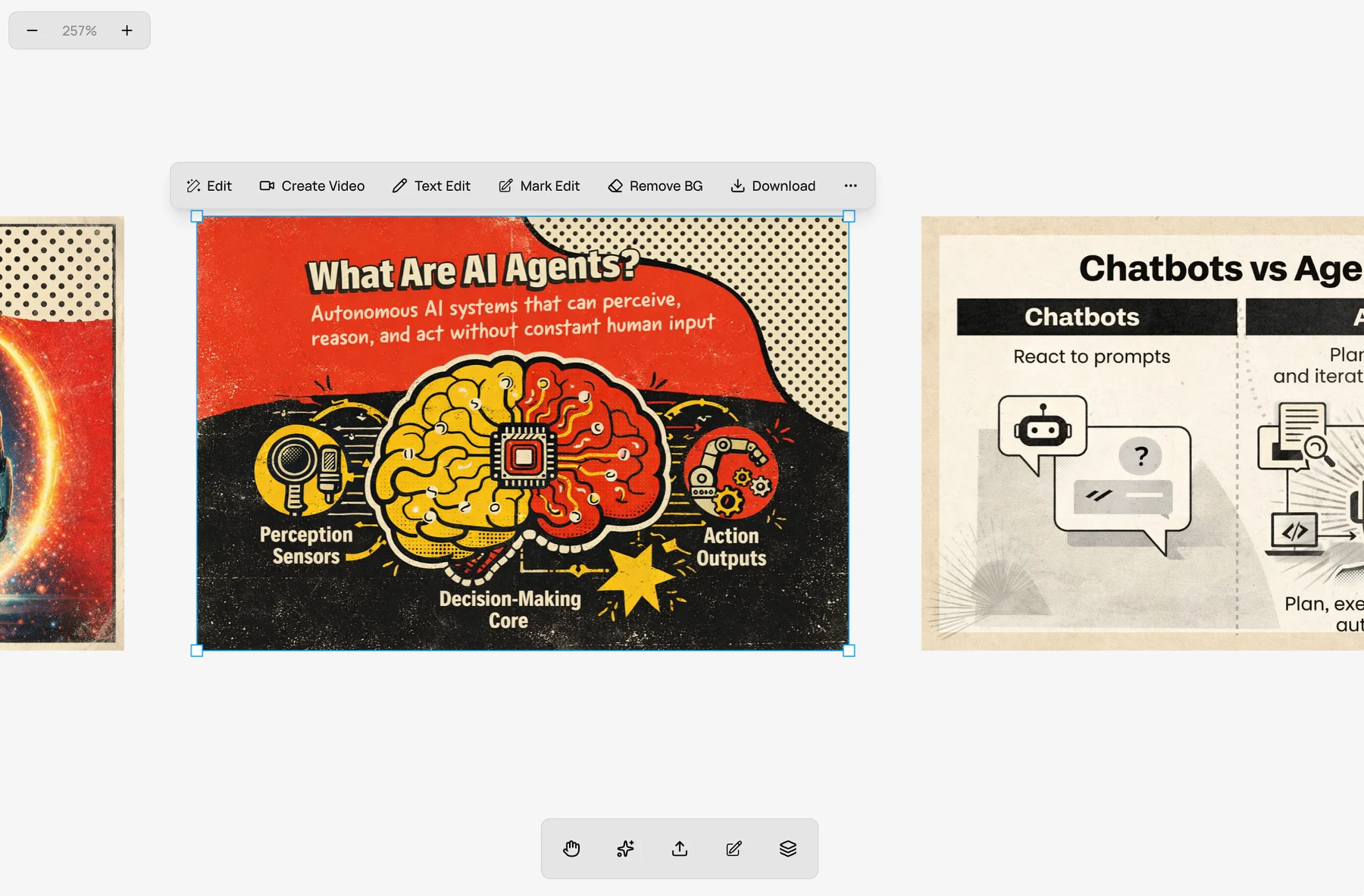
Real example: Last week I created a post about AI agents. Generated the first image, didn't like the robot illustration. Instead of starting over, I selected just the robot, typed "replace with a friendly robot," and only that part changed. Took 10 seconds. Posted 2 minutes later.
Mark Edit saved me hours
Mark Edit is simple. Select part of an image. Describe the change. Only that part changes.
When I tested other tools, one small change meant redoing everything.
Iteration cost is the silent killer of creator speed. Runable was the only tool where iteration felt cheap.
AI Carousel felt built for X and Instagram
Most carousel tools treat slides independently.
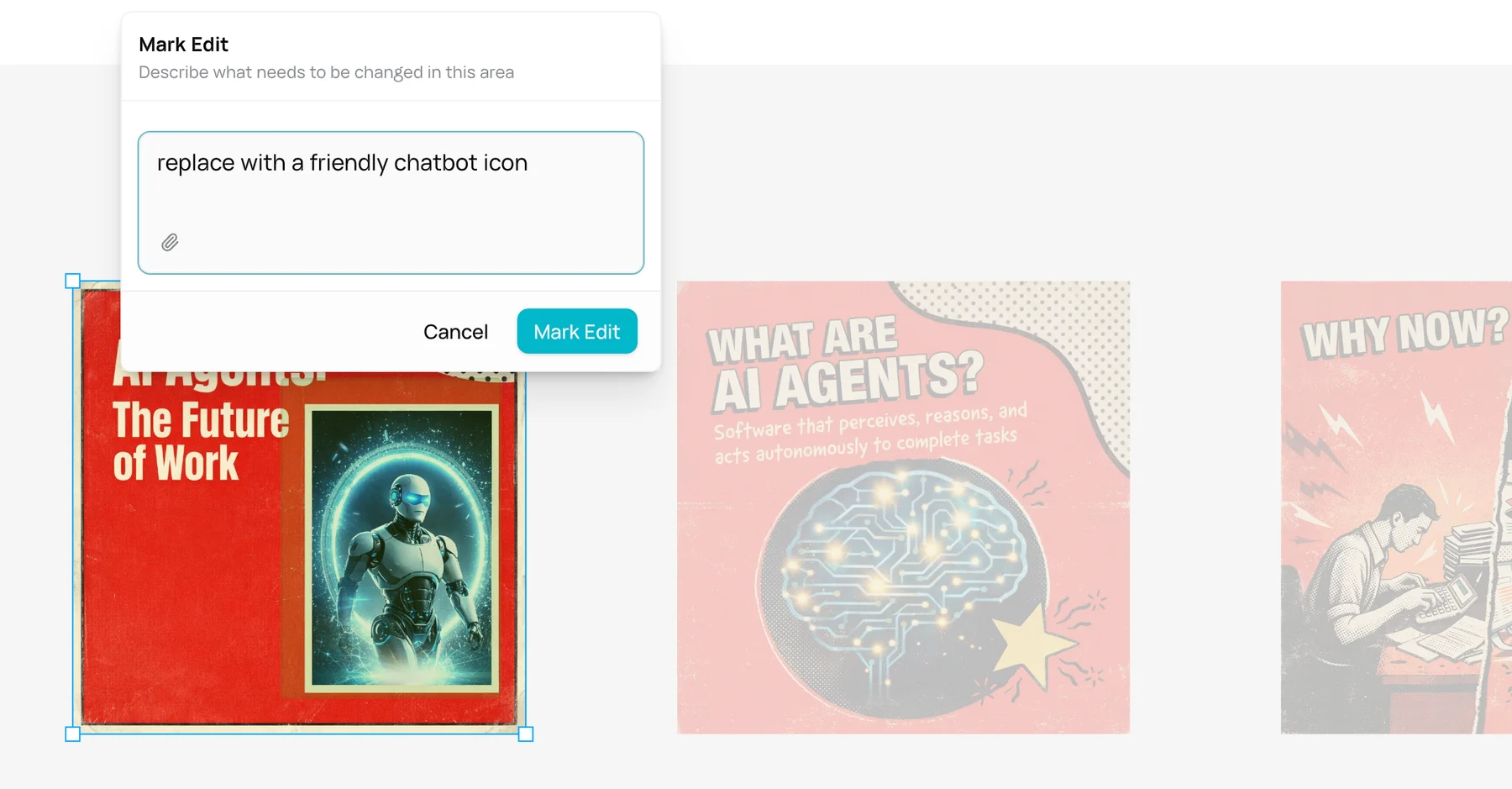
Runable treats the carousel as one story. It plans the hook, the flow, the takeaway, then generates consistent slides that actually feel connected.
This alone made my content look more intentional.

Real example: I asked for a carousel explaining AI agents. It gave me 5 slides with a consistent color scheme, progressive story arc, and a clear CTA at the end. No template hunting. No manual formatting. Just worked.
Tool 2: Manus 1.6 Max
Very strong thinking, weaker execution
Manus deserves respect. Their Workbench benchmarks for 1.6 Max show serious reasoning depth.
Great for long research, complex analysis, and multi-step logic. Manus is excellent at thinking.
Where it fell short for me: visual polish, fast iteration, creator-ready outputs.
Manus thinks well. Runable finishes better.
If your content is mostly research-heavy text, Manus is great. If your content is visual and fast-moving, it breaks down.
Tool 3: Canva
Still unbeatable for templates

Everyone uses Canva . There's a reason.
Templates, brand kits, predictable output. That's the strength.
The weakness ? AI output looks like Canva. Limited creative range. Harder to turn one idea into many formats.Tool 4: Adobe Firefly
Professional, slow, and safe
Firefly is great if copyright matters, clients matter, enterprise matters.
As a solo creator ? Too many settings. Slower feedback. Higher mental load.
It feels like a professional tool, not a creator tool.
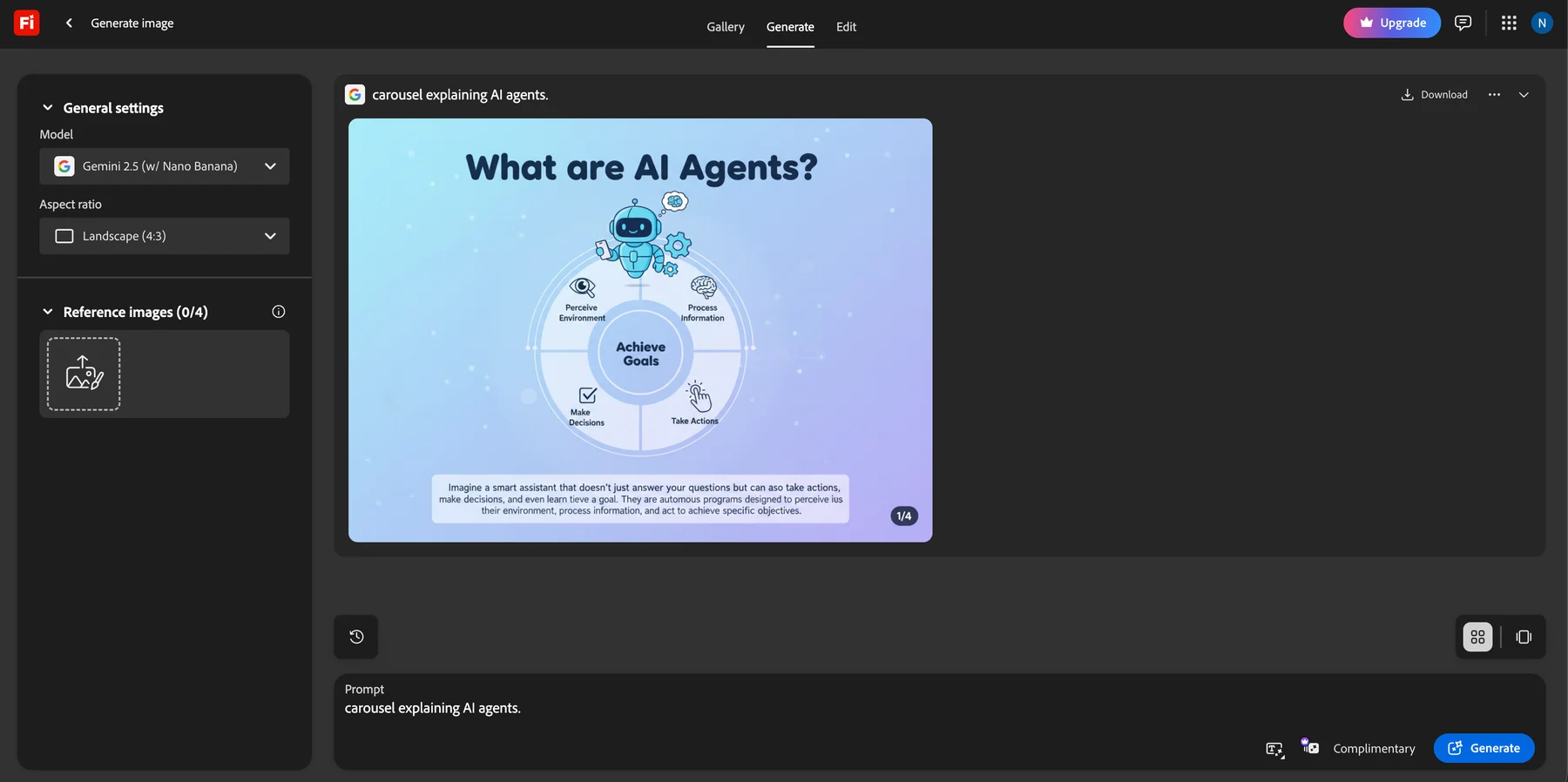
It’s like using Internet Explorer in the era of browser agents.
Tool 5: Runway
Great video, narrow scope
Runway produces impressive videos, especially when you want a cinematic, “made for video” look. The tradeoff is that it’s video-first : iteration can get expensive, and turning that one clip into carousels, images, and post-ready variants usually becomes manual work.
If video is your main output, it’s worth it.
But if you’re a general creator shipping across formats, it often becomes another tab .
What changed for me with Runable: I can make the same kind of short-form videos inside the same canvas where I’m already creating the images and carousel. That means faster edits, less context switching, and repurposing is built-in instead of being a separate workflow.
Tool 6: Descript
Text-based editing that actually ships
Descript is what I use when the content starts as me talking .
If the workflow is “record a messy 20 minutes → publish a clean 6 minutes,” nothing beats editing the words instead of scrubbing waveforms.
Why it’s still in my stack
- Edit video and podcasts like a doc. Cut sentences. The timeline obeys.
- Remove filler words and tighten the take without doing surgery frame-by-frame.
- Studio Sound is the one-click “this was recorded in a normal room”
- Fix small mistakes without a re-record using Regenerate / Overdub style corrections.
Real example: I recorded a quick founder-style explainer with bad room echo. Studio Sound cleaned it up enough that I didn’t have to redo the take. Then I deleted 30 seconds of rambling by cutting two paragraphs from the transcript. The edit took minutes, not hours.
Where it falls short (for my benchmark)
Descript is amazing for audio-first and talking-head . But it does not help you turn one idea into images, carousels, and multi-format assets .
It’s a finisher for recordings, not a canvas for creating the whole content system.
Tool 7: ElevenLabs
The fastest way to get high-quality voice
ElevenLabs is what I reach for when I need voiceovers that don’t sound like a robot reading a script.
If your content needs narration, multilingual voice, or consistent voice across dozens of clips, this is the specialist tool.
What it’s great at
- High quality text-to-speech across dozens of languages .
- Voice cloning (instant and pro) when you need consistency across a series.
- Speech-to-speech voice conversion when you want to keep the performance but change the voice.
Real example: I wrote a 45-second script for a product teaser. Generated two narration styles (calm + high-energy), tested both on the same clip, then used the winning voice across the rest of the series so everything felt consistent.
The honest limitation
ElevenLabs is not workflow.
You’ll still need an editor to place it into a video, time it to cuts, and iterate on the visuals.
For me it’s perfect when paired with tools like Descript (edit) and Runable (visual execution).
The benchmark results:
I care about one thing: how fast can I turn one idea into something I'll post.
Here's what I found:

Fastest execution end-to-end: **Runable 2.0** Best pure reasoning: **Manus 1.6 Max** Best templates: **Canva** Best IP-safe visuals: **Adobe Firefly** Best cinematic video: **Runway** Best audio editing: **Descript** Best voice generation: **ElevenLabs** Why Runable fits how I create
On X, speed matters.
If I have to switch tools, re-explain context, or redo visuals .. I won't post.
Runable reduced context switching, iteration pain, and decision fatigue.
AI Canvas + AI Carousel + Mark Edit changed how fast I ship. That's the real benchmark.
Real example: Yesterday I had an idea at 9 AM. By 9:15 AM, I had a carousel, two image variations, and a short video clip all from one conversation. Posted at 9:20 AM. That's the difference.
My honest advice to creators in 2026
If you post occasionally, use anything.
If you post consistently and care about quality, your bottleneck is execution.
Pick tools that collapse steps, keep context, and make iteration cheap.
For me, that's Runable 2.0 .
Want to try this yourself?
Here's what I recommend:
- Take an idea you actually care about.
- Open AI Canvas in Runable.
- Create an image.
- Turn it into a carousel.
- Edit one small detail without starting over.
You'll know in 5 minutes if this fits how you work.
And if it does ? You'll wonder how you ever shipped content without it.*