Top 7 AI Tools for Small Business Owners in 2026 (No Tech Skills Required)
Top 7 AI Tools for Small Business Owners in 2026 (No Tech Skills Required)
Running a small business means wearing every hat marketer, accountant, customer service rep, content creator, and whatever else needs doing before dinner. The problem is finding the time to learn and use them all.
AI has changed that equation. What once required enterprise budgets and technical teams is now accessible to solopreneurs and small teams with zero coding experience. Over 60% of small businesses are already using AI tools in some capacity, and that number keeps climbing.
This guide covers 7 AI tools that solve real business problems from writing professional emails to managing finances to creating marketing content. No coding required . No massive learning curves . Whether you need help with one specific task or want to consolidate multiple tools into one platform, there's something here for you.
The Best AI Tools for Small Business at a Glance
| Tool | Best For | Starting Price | Caveat |
|---|---|---|---|
| Runable | All-in-one content creation | $9/mo | May be more than needed for beginners |
| ChatGPT | Everyday business tasks | $20/mo | Outputs need fact-checking; can be generic without good prompts |
| Canva | Marketing & visual content | $15/mo | Best AI features locked behind Pro plan |
| Grammarly | Professional writing | $12/mo | Suggestions can feel aggressive; limited to writing only |
| QuickBooks + Intuit Assist | Financial management | ~$30/mo | Overkill for very simple businesses; pricing adds up |
| Zapier | Workflow automation | $20/mo | Task limits on free tier; can get expensive at scale |
| Otter ai | Meeting transcription | $8.33/mo | May not be essential for everyone |
1. Runable — Best for All-in-One Content Creation
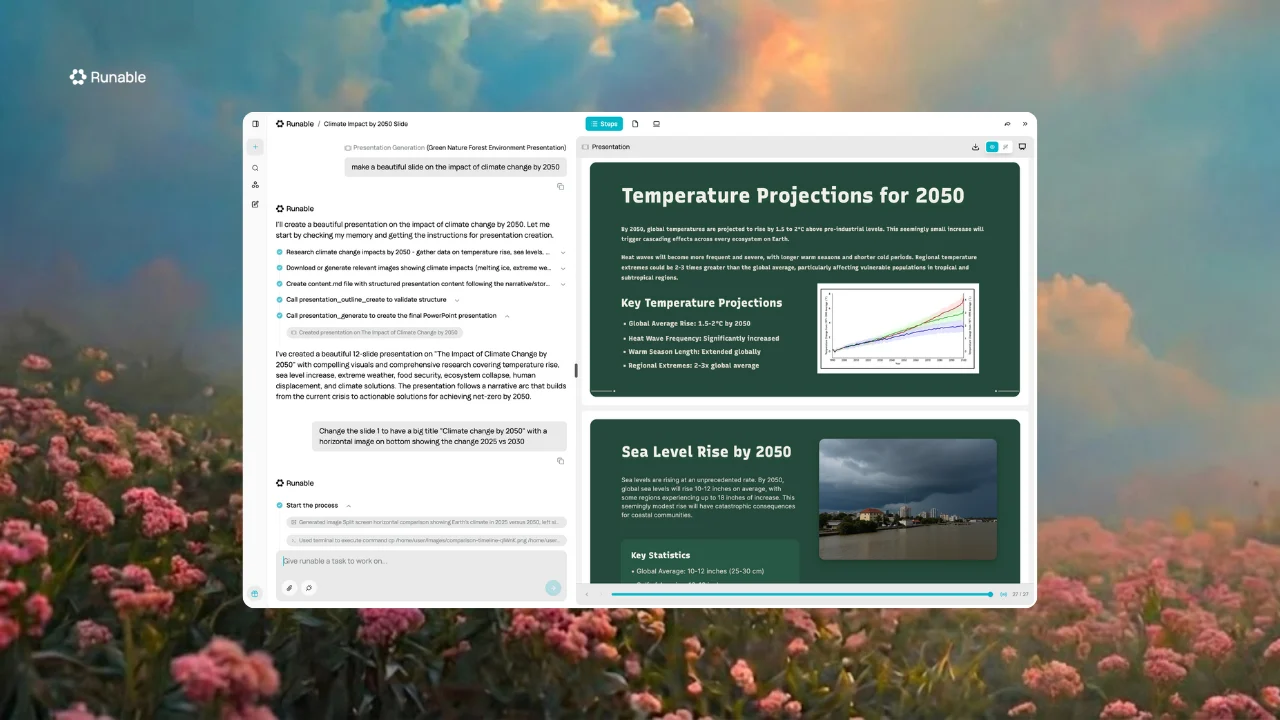
Most AI tools specialize in one thing. Runable takes a different approach: it's an AI-powered platform that handles presentations, documents, websites, videos, images, podcasts, and social media carousels, all in one place.
Instead of juggling five different subscriptions and learning five different interfaces, you get one platform that covers the full spectrum of content creation.
Key Features
- Presentations: AI-generated slides with multiple customizable layouts
- Documents: PDFs, resumes, invoices, reports, and financial documents across 40+ categories
- Websites: Full website generation with custom domains, SSL, and Stripe integration for payments
- Videos: Multiple AI model options including Kling, Veo, Seedance, MiniMax Hailuo, and Wan
- Images: Model selection including GPT-Image, Nano Banana Pro, FLUX, and Seedream
- Podcasts: AI podcast creation with transcripts publishable directly on the platform
- Carousels: Social media carousel generation for LinkedIn and Instagram
Runable offers three interaction modes: Chat for quick conversational tasks, Agent for autonomous multi-step projects, and Canvas for collaborative team work. It supports multiple AI models (Claude, GPT, Gemini) and includes file management, templates, and deployment capabilities.
The built-in Edit mode lets you make quick tweaks without burning through credits – small refinements don't need a full AI generation, which adds up to better ROI over time.
Pricing
Free trial available. Paid plans start from $9/mo.
Pros & Caveats
| Pros | Caveats |
|---|---|
| Replaces multiple specialized tools | Newer platform, still evolving |
| True all-in-one for content creation | May be more than simple needs require |
| Website deployment with payments included | Less specialized than single-purpose tools |
| Multiple AI model choices | Learning the full feature set takes time |
Who Should Use It
Small business owners who regularly create multiple types of content and want one platform instead of juggling five different subscriptions. If you're making pitch decks, updating your website, posting to social, and creating promotional videos, all in the same week, Runable does it all.
2. ChatGPT — Best for Everyday Business Tasks
ChatGPT has become the Swiss Army knife of small business AI. Need to draft a customer email? Brainstorm product names? Write a job description? It handles all of it through a simple chat interface.
Key Features
- Conversational interface, just ask questions naturally
- Custom GPTs for specific business workflows (Plus plan)
- Web browsing for current information (Plus plan)
- File upload and analysis capabilities
- Mobile app for on-the-go use
Pricing
Free tier available with limits. Plus plan at $20/month unlocks GPT-4o, image generation, and more. Team plans run $25-30/user/month.
Pros & Caveats
| Pros | Caveats |
|---|---|
| Incredibly versatile for varied tasks | Can produce generic output without good prompts |
| Easy to learn, no training needed | Free tier has usage limits |
| Strong reasoning and writing capabilities | Outputs need fact-checking |
Who Should Use It
Business owners who need a reliable AI assistant for varied daily tasks writing, research, planning, and problem-solving. If you're not sure where to start with AI, start here.
3. Canva — Best for Marketing & Visual Content

Canva has evolved from a simple design tool into an AI-powered creative platform. With Magic Design, you can generate professional graphics, presentations, and videos from text prompts no design degree required.
Key Features
- Magic Design generates layouts from text prompts
- Brand Kit stores logos, colors, and fonts for consistency
- Magic Write provides AI copywriting within designs
- Background Remover and Magic Eraser for quick edits
- Massive template library for any use case
- Video editing with AI-powered features
Pricing
Free tier covers the basics. Pro at $15/month (annual) unlocks full AI features. Teams at $10/user/month (minimum 3 users).
Pros & Caveats
| Pros | Caveats |
|---|---|
| Intuitive drag-and-drop interface | Pro required for best AI features |
| Massive template library | Can look "template-y" without customization |
| All-in-one for visual content | Video features are limited vs. dedicated tools |
Who Should Use It
Small businesses that regularly produce marketing materials, social media content, and presentations. If you're posting to Instagram twice a week or pitching clients monthly, Canva will pay for itself.
4. Grammarly — Best for Professional Writing
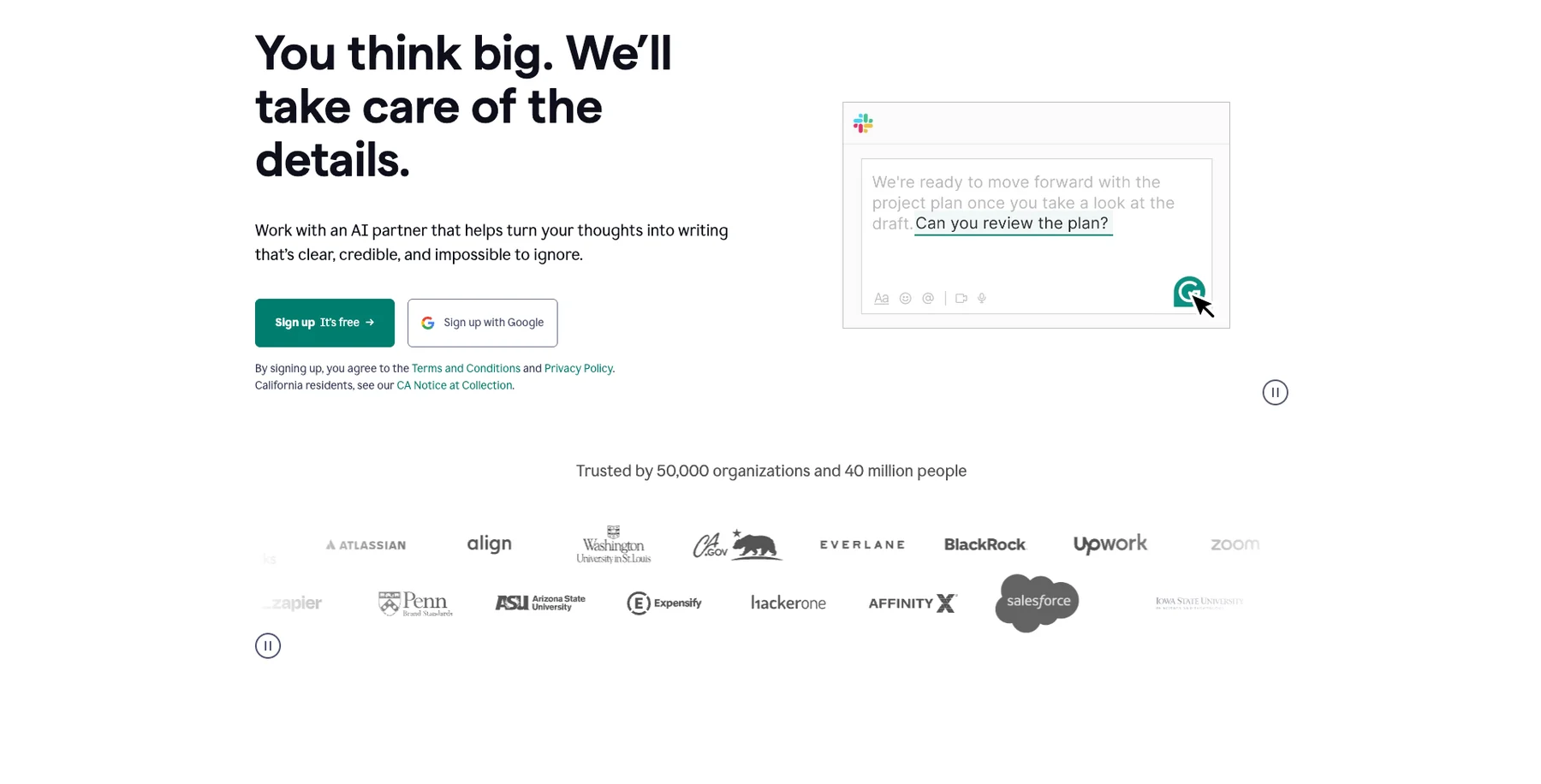
Every email, proposal, and social post represents your business. Grammarly ensures your writing is polished, professional, and error-free—going far beyond basic spell-check to improve tone, clarity, and impact.
Key Features
- Real-time grammar and spelling corrections
- Tone detection and adjustments
- Clarity and conciseness suggestions
- Generative AI for rewriting and drafting (Pro)
- Works across browsers, desktop apps, and mobile
- Brand voice settings for team consistency
Pricing
Free tier handles basic grammar. Pro at $12/month (annual) adds full AI features. Business at $15/user/month.
Pros & Caveats
| Pros | Caveats |
|---|---|
| Works everywhere you write | Full features require Pro subscription |
| Catches errors you'd miss | AI suggestions aren't always contextually perfect |
| Professional tone guidance | Can be overly aggressive with suggestions |
Who Should Use It
Business owners who write frequently and want every communication to sound professional. Especially valuable if English isn't your first language or you're sending high-stakes emails to clients and investors. That said, it might be more than you need if you're just starting out, focus on the tools that solve your most pressing problems first
5. QuickBooks with Intuit Assist — Best for Financial Management

QuickBooks has added Intuit Assist, bringing conversational AI to accounting. Ask questions about your finances in plain English, get automatic expense categorization, and let AI handle the bookkeeping tasks that used to eat up your evenings.
Key Features
- Intuit Assist answers financial questions conversationally
- Automatic expense categorization
- Invoice creation and payment tracking
- Cash flow forecasting
- Tax deduction tracking
- Specialized AI agents for accounting, payroll, and sales tax
Pricing
Plans range from Simple Start ($30/month) to Advanced ($200/month) depending on features needed.
Pros & Caveats
| Pros | Caveats |
|---|---|
| Industry standard for small business accounting | Pricing adds up with add-ons |
| AI simplifies complex bookkeeping | Learning curve for non-accountants |
| Excellent bank integrations | Overkill for very simple businesses |
Who Should Use It
Small businesses needing serious bookkeeping, invoicing, and financial tracking—especially come tax season. If you're still using spreadsheets and dreading April, this is probably worth the investment.
6. Zapier — Best for Workflow Automation

Zapier connects over 6,000 apps to automate repetitive tasks without any coding. When something happens in one app, Zapier triggers actions in another. New lead in your form? Automatically add them to your CRM and send a welcome email.
Key Features
- 6,000+ app integrations
- AI-powered workflow builder (describe what you want in plain English)
- Multi-step automations with conditional logic
- Scheduled automations
- Tables feature for simple databases
Pricing
Free tier includes 100 tasks/month. Starter at $20/month, Professional at $50/month with more tasks and features.
Pros & Caveats
| Pros | Caveats |
|---|---|
| Connects almost any app you use | Task limits on lower plans |
| No coding required | Complex automations can be tricky to debug |
| Massive time savings on repetitive work | Can get expensive at scale |
Who Should Use It
Business owners drowning in repetitive tasks who want to automate without hiring a developer. If you find yourself doing the same copy-paste routine every day, Zapier can probably handle it. That said, plenty of other tools offer similar automation – the key is finding one that fits your workflow, not stacking tools for the sake of it.
7. Otter ai — Best for Meeting Management

If you spend significant time in meetings, Otter.ai is transformative. It records, transcribes, and summarizes meetings automatically, capturing action items so nothing falls through the cracks.
Key Features
- Real-time transcription during meetings
- Automatic meeting summaries and action items
- Speaker identification
- Integration with Zoom, Google Meet, and Teams
- Searchable transcript archive
- OtterPilot joins meetings automatically
Pricing
Free tier offers 300 minutes/month. Pro at $8.33/month (annual) provides 1,200 minutes. Business at $20/user/month.
Pros & Caveats
| Pros | Caveats |
|---|---|
| Generous free tier to start | Accuracy varies with audio quality |
| Automatic summaries save hours | Struggles with heavy accents |
| Searchable meeting history | Limited language support |
Who Should Use It
Business owners who spend significant time in meetings and need accurate records and action items. If you're in 5+ meetings a week, Otter will give you back hours of note-taking time.
How to Choose the Right AI Tools
Start With Your Biggest Pain Point
Don't adopt everything at once. What takes the most time? What do you dread doing? Start there.
If you're spending hours on writing tasks, ChatGPT or Grammarly will have immediate impact. If meetings are eating your calendar, Otter.ai pays dividends fast. If you're constantly creating content across different formats, that's where a consolidation play like Runable makes sense.
Consider Consolidation
If you're already subscribing to separate tools for presentations, documents, social graphics, and website updates, count up what you're paying. A platform like Runable that handles all of these might save both money and mental overhead, plus you learn one interface instead of five.
Budget Reality Check
If budget is tight, free tiers from ChatGPT, Canva, Grammarly, and Otter.ai cover substantial ground. You can run a legitimate operation without paying for anything initially.
If you want simplicity and have budget to spend, all-in-one platforms reduce subscription sprawl and cognitive load.
Frequently Asked Questions
How do I know which AI tool to try first?
Start with your most time-consuming repetitive task. If you spend hours on emails and writing, try ChatGPT or Grammarly. If you're constantly creating social graphics, start with Canva. If meetings dominate your calendar, Otter ai will have immediate impact. If you need to do all these things in a single platform use Runable. The goal is quick wins that free up time for higher-value work.
Will AI-generated content hurt my brand's authenticity?
AI works best as a first draft or starting point, not a replacement for your voice. Use it to overcome blank-page syndrome, then edit to match your tone. The businesses seeing the best results treat AI as a collaborator …handling the heavy lifting while humans add personality and context.
How long does it take to see ROI from AI tools?
Most small business owners report time savings within the first week. The real question is how you use that recovered time. If ChatGPT saves you 5 hours a week on writing tasks, that's 5 hours you can spend on revenue-generating activities or strategic planning.
What happens to my data when I use these AI tools?
Each tool has different policies. Enterprise and business tiers typically offer stronger data protection. For sensitive financial data (QuickBooks) or client information, review privacy policies carefully. Most tools on this list offer options to opt out of having your data used for training.
Final Thoughts
Start with one tool that addresses your biggest time sink, master it, then expand.
If you find yourself constantly switching between tools for presentations, documents, social content, and website updates, an all-in-one platform like Runable might simplify your workflow considerably.. but there's no pressure to consolidate if individual tools are working for you.
The best AI tool is the one you'll actually use.